Introduction
Most GovCon capture teams aren't managing one pursuit. They're juggling a dozen at once, spread across Sources Sought notices, RFIs, active RFPs, and task orders on SAM.gov, GSA eBuy, and half a dozen agency portals.
Spreadsheets hold up fine at three or four pursuits. Past that, they crack.
A 2023 GAUGE Report summary from GovConWire found that many contractors still rely on spreadsheets and siloed opportunity data, with fewer than one in five rating their pipeline forecasts as very accurate.
The same report found 65% of firms use a formal capture or gate process. That number drops to 46% among companies under $10M in revenue, exactly the segment most likely to still be running pursuits out of email threads.
Skip the screenshot tour. This guide shows how capture teams actually operationalize an RFP dashboard, from intake through award.
TL;DR
- Centralizes stage, Go/No-Go status, compliance, and deadlines in one capture-lifecycle view
- Connects to live SAM.gov, eBuy, and agency feeds filtered by NAICS/PSC code, not keyword
- Tracks the full pursuit from Sources Sought through award, not just the RFP document
- AI-assisted Go/No-Go scoring cuts opportunity triage time by up to 95% versus manual review
- One shared source of truth beats parallel spreadsheets across capture, pricing, and proposal teams
When and What You Need to Use an RFP Dashboard for GovCon Capture
When It's the Right Fit
A dashboard earns its keep once you're tracking more than a handful of simultaneous pursuits, or once capture, pricing, and proposal work is split across different people who all need the same picture.
There's a real difference between two use cases:
- Single-pursuit tracking: one compliance matrix, one team, one deadline
- Pipeline-wide capture management: dozens of opportunities at different stages, owned by different people, moving at different speeds
Most teams misuse the tool the same way: they stand up a dashboard, then only populate it once an RFP drops. That skips the Sources Sought and RFI window entirely, the stretch where a dashboard actually creates competitive advantage rather than just organizational tidiness.
What You Need Before Rollout
Four things need to exist before a dashboard does anything useful:
- A connected or manually maintained opportunity feed (SAM.gov, GSA eBuy, agency-specific portals): without it, the dashboard is a template with nothing to track.
- Defined NAICS/PSC codes and set-aside criteria relevant to your business, so filtering surfaces real fits instead of noise.
- A documented Go/No-Go scoring framework (strategic fit, incumbency, competition, resource availability), so scoring stays consistent instead of relying on gut-feel.
- Clear role assignments (capture lead, proposal lead, pricing lead, SMEs), so the dashboard reflects who actually owns each piece of work rather than listing generic tasks.
Skip any one of these and the dashboard becomes another status page nobody trusts.
How to Build and Use an RFP Dashboard (Step-by-Step)
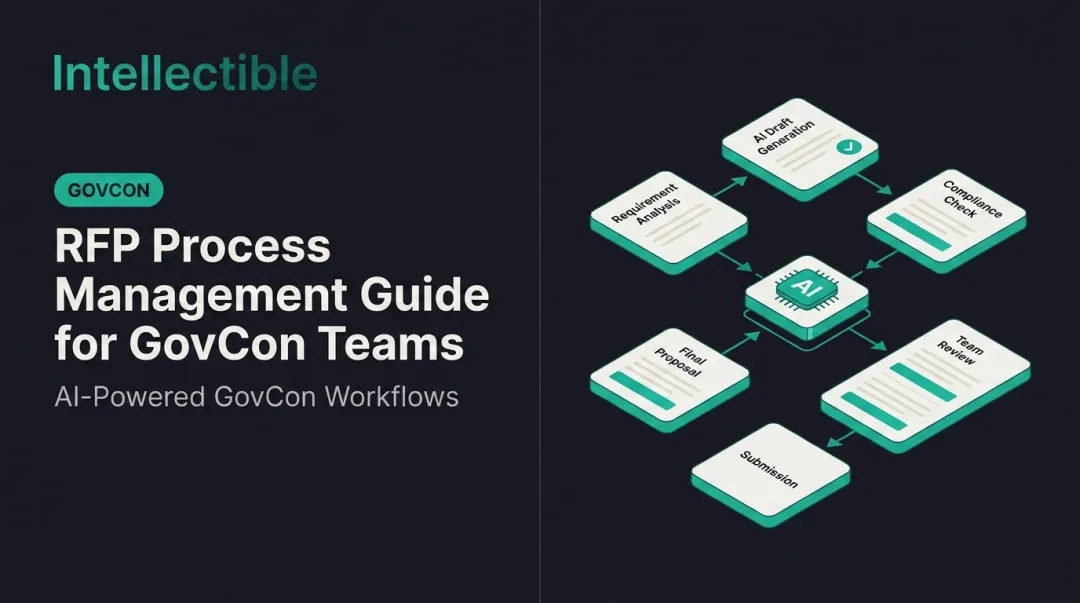
A capture dashboard should move an opportunity through defined stages. Skip a stage (say, jumping from intake straight to proposal writing without a Go/No-Go gate), and that's usually where pursuit hours quietly disappear.
Setup and Preparation
Structure the dashboard around capture stages, not generic project statuses:
- Identified
- Qualifying
- Go/No-Go
- Pursuing
- Submitted
- Award/Loss
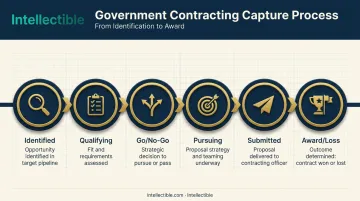
This mirrors how the APMP Winning Business Ecosystem separates Pre-Bid/Capture, Bid/Proposal, Post-Bid/Proposal, and Implementation phases.
The most common setup mistake: building the dashboard around document status alone. "Draft RFP in progress" tells you nothing about pricing readiness, teaming gaps, or whether the compliance matrix is even half-built. Track the whole pursuit, not just the document.
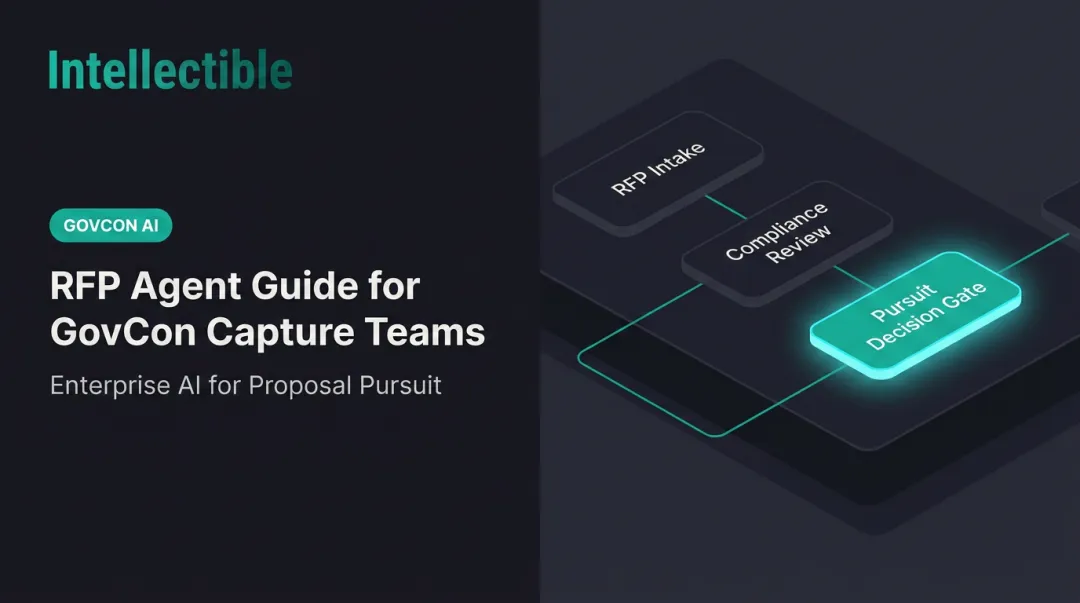
Initiating Use: Opportunity Intake and Go/No-Go
New opportunities enter the dashboard three ways: connected feed, manual entry, or referral, and should get an initial fit score against NAICS/PSC codes and past performance immediately.
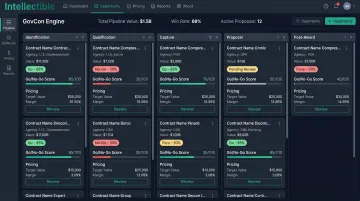
Automation earns its budget line at this step. Intellectible's GovCon Engine turns each federal or state notice into a structured capture record: agency, office, NAICS, PSC, timing, scope, fit rationale, and risk signals.
The platform then runs incumbent and competitive analysis automatically against award history and bidder patterns. Clients using this intake-to-decision workflow report 95%+ time savings on the Go/No-Go step compared to manual portal-by-portal review.
The indicator you set this up correctly: every logged opportunity carries an explicit Go or No-Go, not a "reviewing" placeholder sitting untouched for three weeks.
Operating the Dashboard Correctly: Active Pursuit Tracking
Once an opportunity is marked "Go," the dashboard becomes the working file, updated continuously rather than summarized after the fact.
That means tracking:
- Compliance matrix build-out, section by section
- Teaming and subcontractor assignments
- Section ownership, by name
Update status at defined checkpoints: RFI response, draft RFP comments, final RFP release, not just at submission. That discipline is what actually matters. A dashboard updated in real time lets a capture lead answer "where are we?" without pinging five people across three teams.
Monitoring During Use: Pipeline Health and Deadlines
Across all active pursuits, watch for:
- Stalled compliance items sitting untouched
- Sections with no assigned owner
- Approaching deadlines with incomplete pricing or teaming
Two red flags signal a pursuit quietly losing momentum: a stage that hasn't moved in weeks, or a pursuit still marked "Go" with nobody actually assigned to it. Either one means the pursuit is drifting, even if the dashboard still says it's active.
Completing Use: Submission and Post-Award Close-Out
Move a pursuit to "Submitted" with a locked audit trail of the final compliance matrix and pricing package. Locked records matter here for a specific reason: they protect you if a debrief or protest follows.
Under FAR 15.506, a written debrief request must reach the agency within 3 days of award notification, and protest timelines under 4 CFR 21.2 run as short as 10 days from when the basis for protest was known. Dated, locked records aren't optional here.
Skip proper close-out (archiving lessons learned and win/loss reasons), and teams end up repeating the same qualification mistakes on the next pursuit.
Where RFP Dashboards Fit Across the GovCon Capture Lifecycle
The value curve starts earlier than most teams assume.
- Sources Sought/RFI stage — Monitoring pre-solicitation notices buys prep time that competitors chasing only the released RFP never get. FAR 15.201 encourages these early agency exchanges, from market research through draft RFPs.
- Active solicitation phase — The dashboard becomes the shared compliance and pricing tracker across capture, proposal, and pricing functions.
- Post-submission phase — The same dashboard tracks award notifications, protest windows, and debrief scheduling, so the pursuit doesn't just disappear from view the moment it's submitted.
Usage patterns also shift by pursuit type:
- Large federal pursuits — Need deep compliance tracking per opportunity, given the complexity of individual solicitations.
- High-volume state/local or task-order pipelines — Need heavier filtering by agency, contract value, and stage, since GSA eBuy and state portals like Washington's DES operate as separate, disconnected channels with their own access rules.
Best Practices for Using RFP Dashboards Effectively
- Standardize Go/No-Go criteria inside the dashboard itself, so every opportunity gets scored the same way regardless of who logs it.
- Maintain one dashboard as the single source of truth per pursuit. Parallel spreadsheets across capture, pricing, and proposal teams are the leading cause of "wait, where are we?" confusion.
- Review the dashboard in a recurring pipeline meeting (weekly for active pursuits) instead of relying on ad hoc status pings.
- Keep the audit trail intact from Go/No-Go through final pricing. This traceability shows evaluators why each decision was made and speeds internal reviews.
- Avoid over-customizing with vanity fields. Track the stages and data points that predict a win, not every field your team can imagine.
"Removing the tedious, monotonous hours of RFP efforts let my team focus on analysis and selling instead of chasing status updates." — John Grady, Corporate Director of Business Development, HHS
Platforms combining pipeline tracking, Go/No-Go scoring, and pricing in one build (Intellectible's approach for GovCon clients, for instance) replace this spreadsheet-and-email patchwork without adding headcount to manage it. Oceus, a defense contractor, doubled the qualified opportunities it reviews each month after putting the platform in front of its intake process.
Conclusion
Using an RFP dashboard well has less to do with the software than the discipline behind it. Updating stage, ownership, and Go/No-Go status consistently, across every pursuit, every week, is what actually protects your pipeline.
Treat the dashboard as the system that protects visibility and win rate as pursuit volume grows. The dashboard is what keeps you from finding out three days before submission that nobody owns the pricing volume.
Frequently Asked Questions
What is an RFP dashboard?
It's a centralized view that tracks RFP opportunities by stage, status, and ownership. It replaces scattered spreadsheets and email updates with one place where capture, pricing, and proposal teams can all check.
What does RFP stand for?
RFP stands for Request for Proposal, a formal federal solicitation. It differs from an RFI (market research) and an RFQ (pricing under simplified procedures).
Is there an RFP database?
Yes — SAM.gov, GSA eBuy, and third-party aggregators all list opportunities. A database helps you find opportunities; a dashboard manages what happens after you find them.
What is a good dashboard for procurement?
Look for stage tracking, deadline visibility, a compliance and audit trail, and integration with your existing pipeline data. Without those four, you're just looking at a fancier spreadsheet.
How is a capture-focused RFP dashboard different from a general procurement dashboard?
GovCon capture dashboards track pre-solicitation stages like Sources Sought and RFI, apply Go/No-Go scoring, and manage compliance matrices for federal and state requirements. General procurement dashboards track the buyer's side of acquisition, not the contractor's pursuit.
Can an RFP dashboard automate the Go/No-Go decision for GovCon teams?
AI-assisted scoring tools can evaluate fit against past performance, NAICS/PSC codes, and competitive signals automatically, cutting manual review time by up to 95%. Most teams still keep a human sign-off step before locking in the final decision.